4. Appendix: Issuing and Using API Keys
In the CLI and SDK steps up to this page, we authenticated using the login credentials from ant auth login. No API key was issued. This page explains how authentication works and how to issue and configure an API key when you need one.
No API Key Needed If You Are Logged In via the CLI
Section titled “No API Key Needed If You Are Logged In via the CLI”The ant CLI and the anthropic package (SDK) look for credentials in the following order of precedence:
- The
ANTHROPIC_API_KEYenvironment variable - The
ANTHROPIC_AUTH_TOKENenvironment variable - The login credentials saved by
ant auth login(%APPDATA%\Anthropicon Windows,~/.config/anthropic/on macOS)
Therefore, on a machine where you have already run ant auth login, both the CLI and an SDK client created with a no-argument Anthropic() work as-is with no extra configuration. Token expiration is also refreshed automatically.
If you are unsure which credentials are being used, you can check with the following command.
./ant auth statusant auth statusWhen You Need an API Key
Section titled “When You Need an API Key”Use an API key instead of login credentials in situations like these:
- Running in environments where browser-based login is not possible, such as CI or servers
- Using only the SDK on a machine where
antis not installed - Embedding into an application shared by your team
Issue an API Key
Section titled “Issue an API Key”-
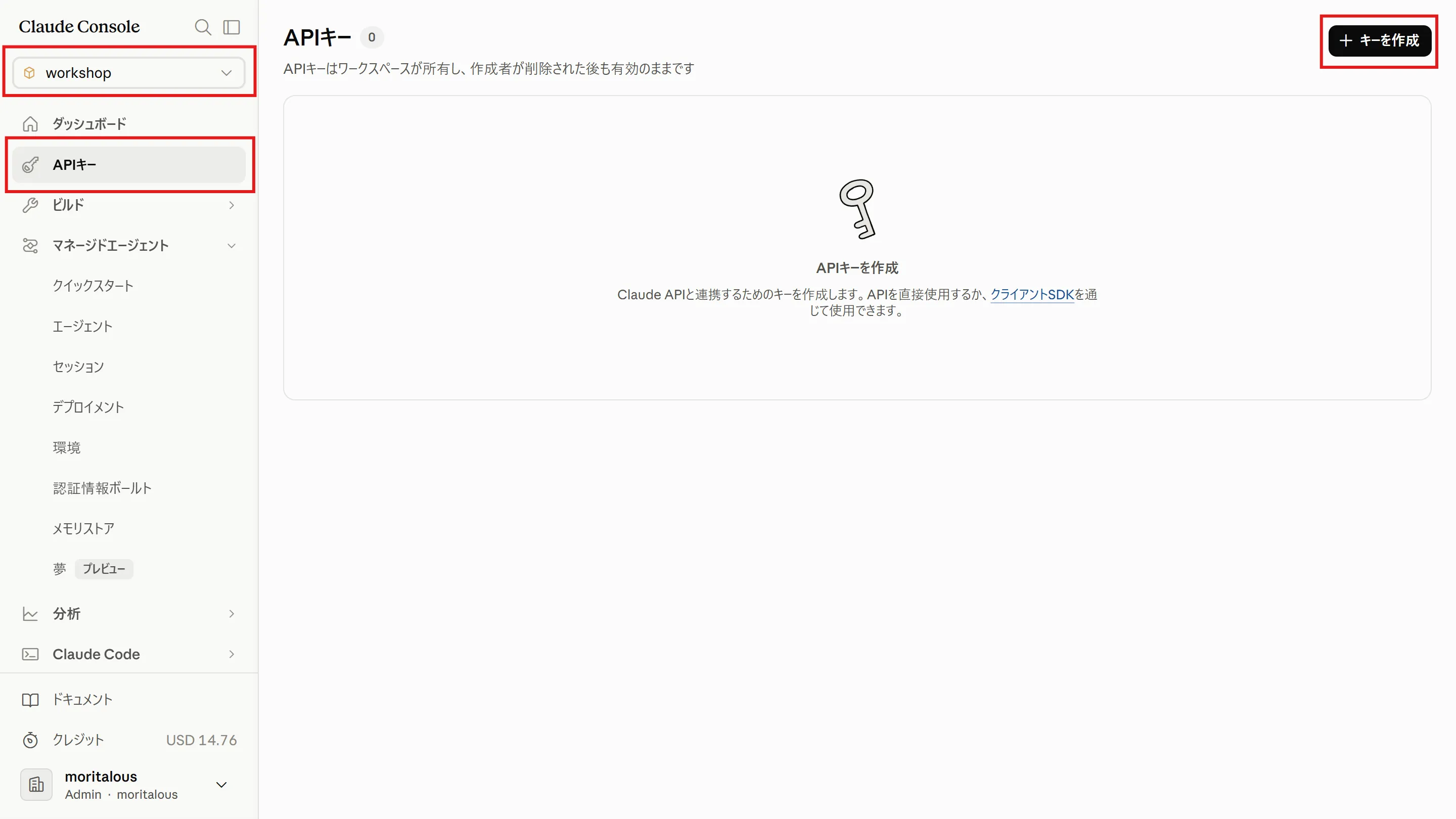
Select the “API keys” menu in the Console and click “Create key”.
-
Enter a name and click “Add”. Note down the displayed API key (a string starting with
sk-ant-).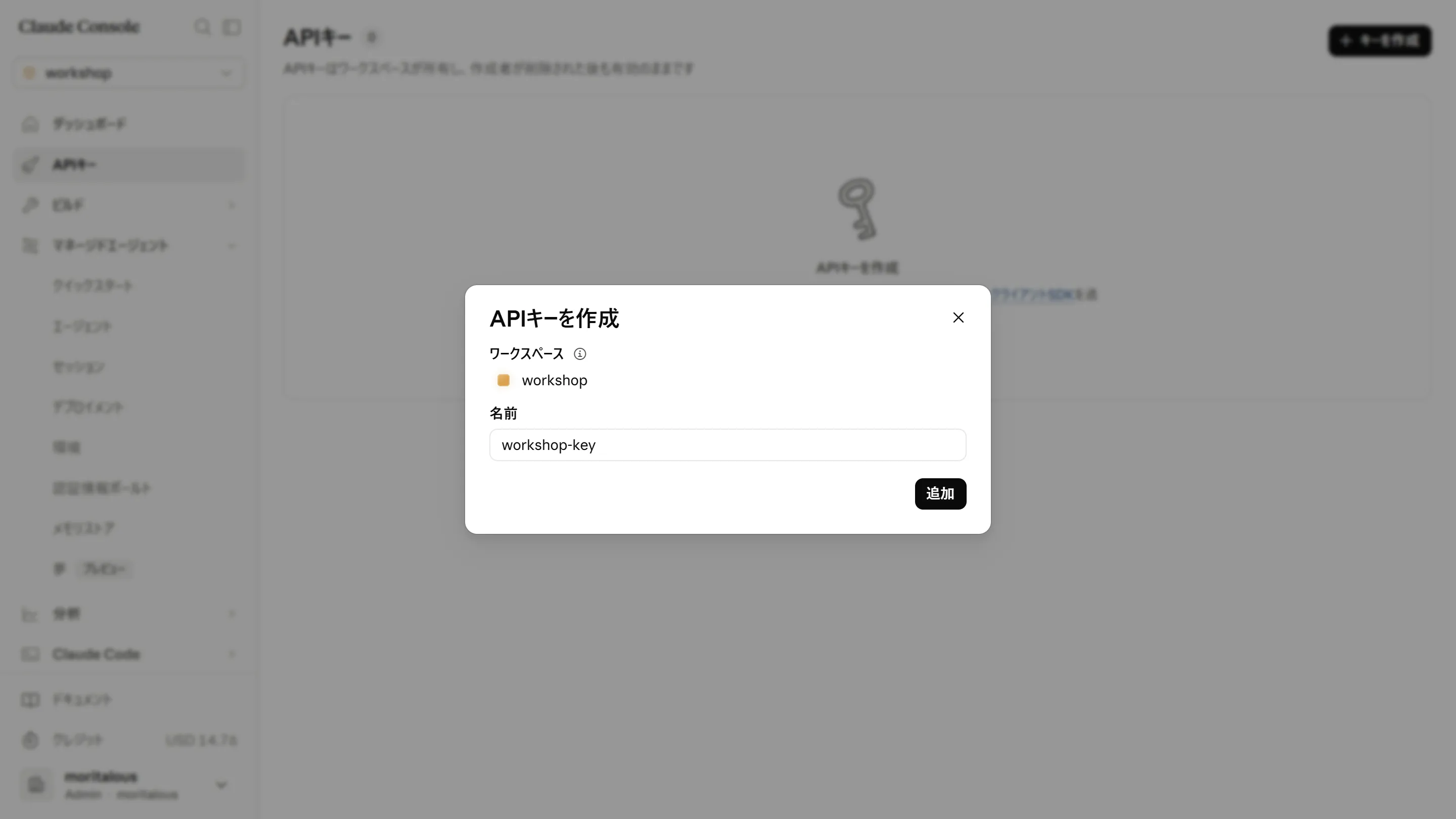
Use the API Key
Section titled “Use the API Key”Set it in the ANTHROPIC_API_KEY environment variable, and both the CLI and the SDK will use it automatically.
$env:ANTHROPIC_API_KEY = "YOUR_API_KEY_HERE"export ANTHROPIC_API_KEY="YOUR_API_KEY_HERE"