1. Create an Agent in the Console
On this page, you will build the AZ-900 practice-question agent entirely through the Console UI, without writing a single line of code. In Beginner 2, the “Create” chat screen built the environment, agent, and session for you. Here you assemble the parts one by one yourself from the submenus of the “Agents” menu.
The Microsoft Learn MCP server needs no authentication, so the credential vault required in the Intermediate section is not needed. You will create the following three components.
| Component | Role |
|---|---|
| Environment | An execution environment that allows network access to the MCP server |
| Agent | The agent itself, which asks practice questions using Microsoft Learn’s tools |
| Session | The execution unit that combines the environment and agent and runs them |
1. Create an Environment
Section titled “1. Create an Environment”-
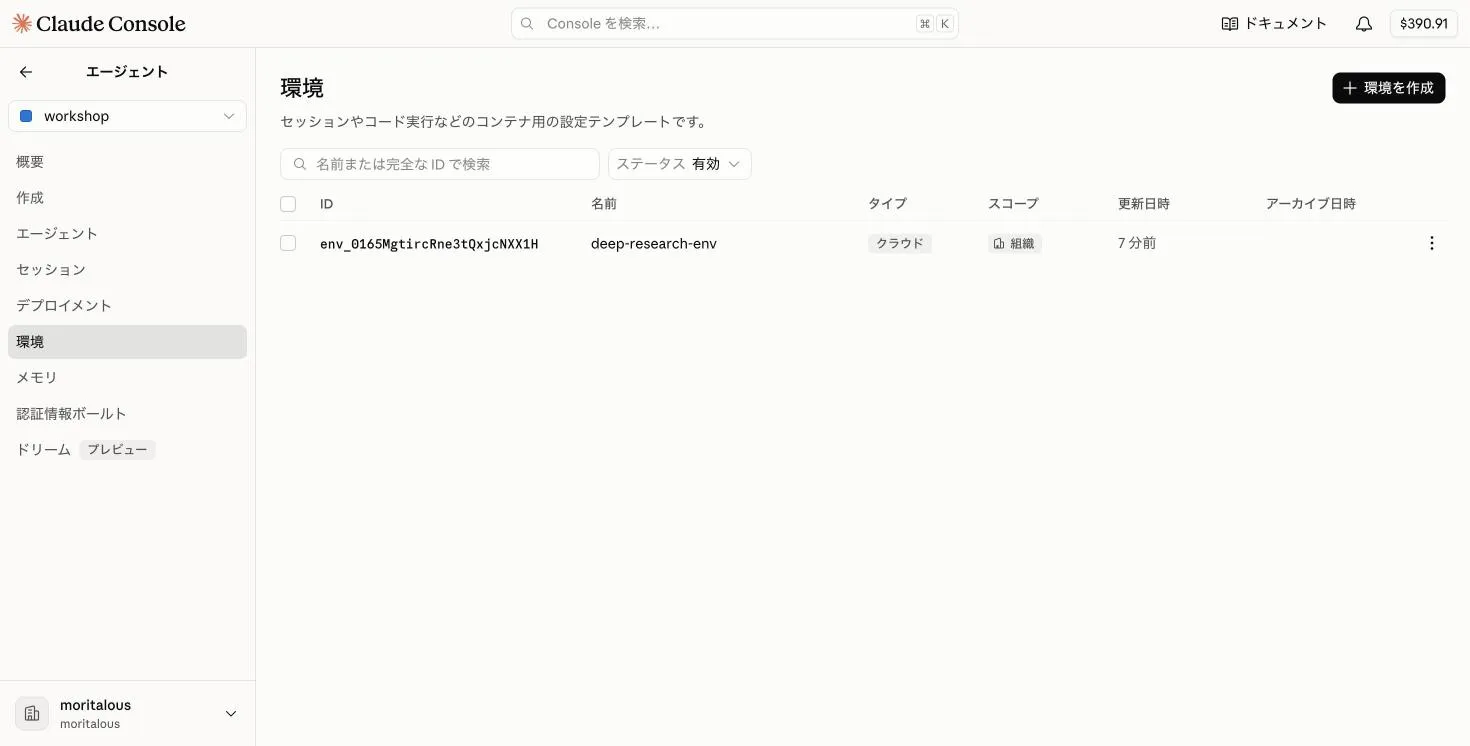
Select “Environments” from the submenu of the “Agents” menu, then click “Create environment”.
-
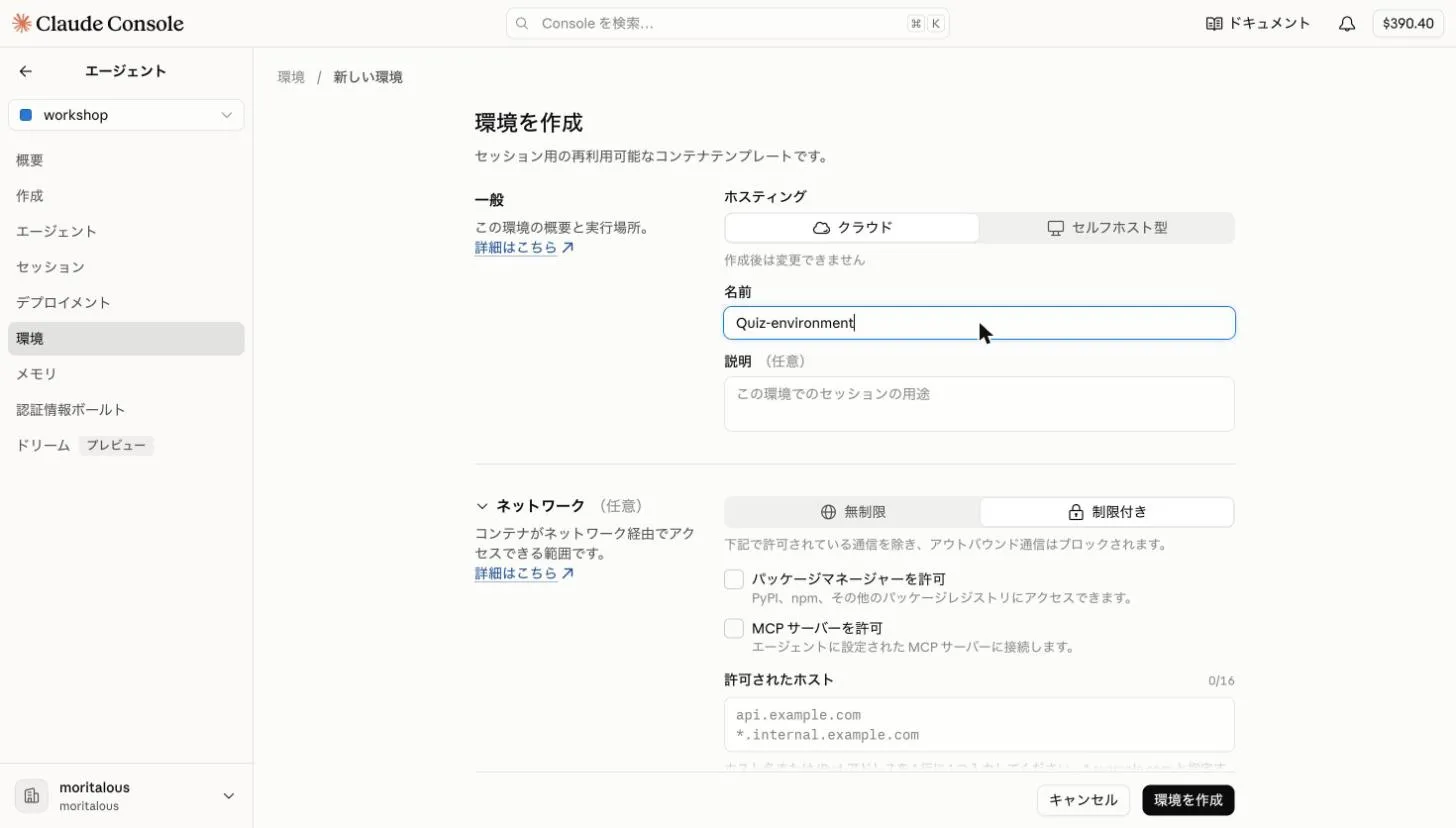
Leave hosting as “Cloud” and enter “Quiz-environment” as the name.
-
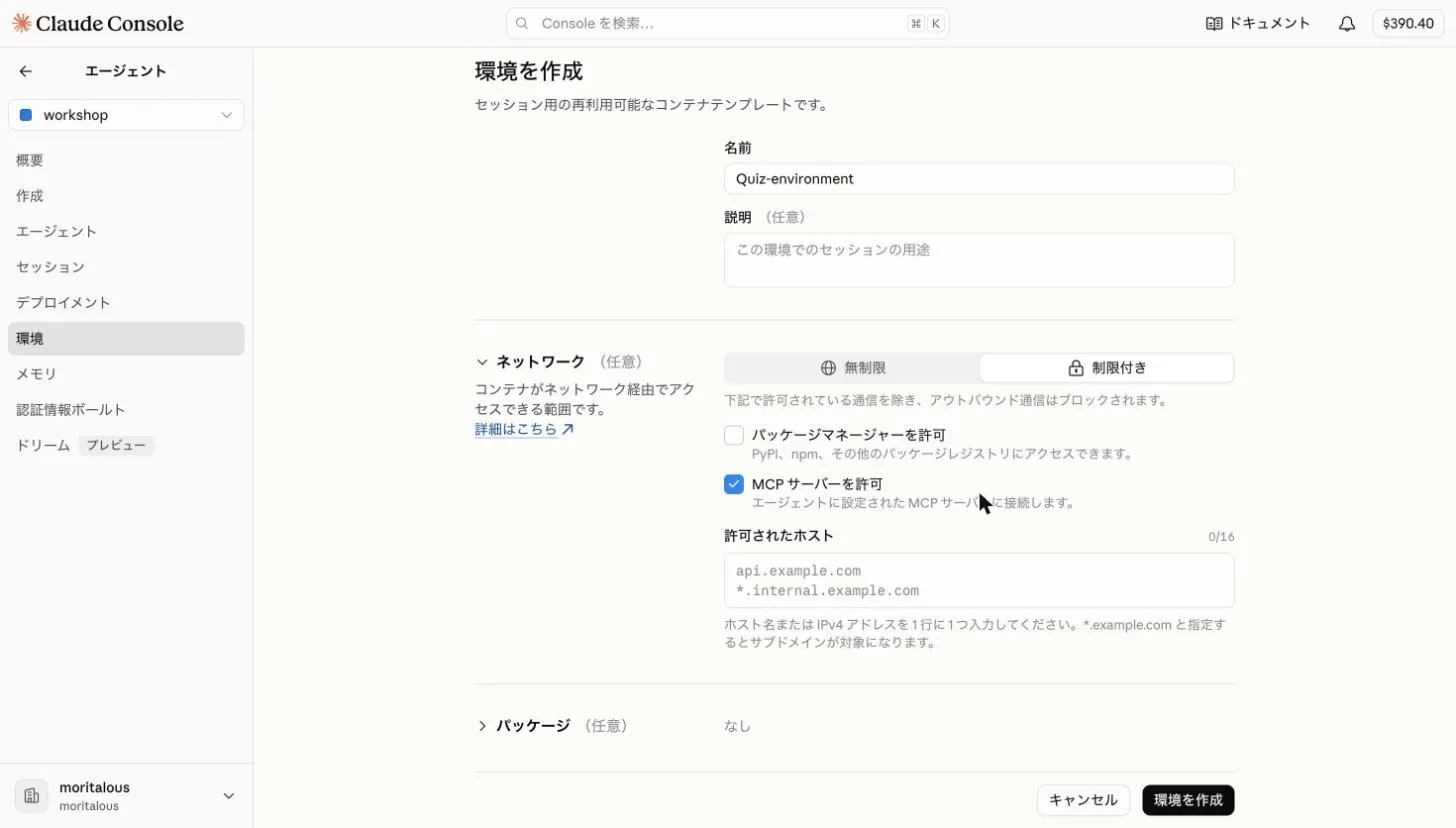
Scroll down to “Network”. Select “Limited” and check “Allow MCP servers”. Finally, click “Create environment”.
2. Create an Agent
Section titled “2. Create an Agent”-
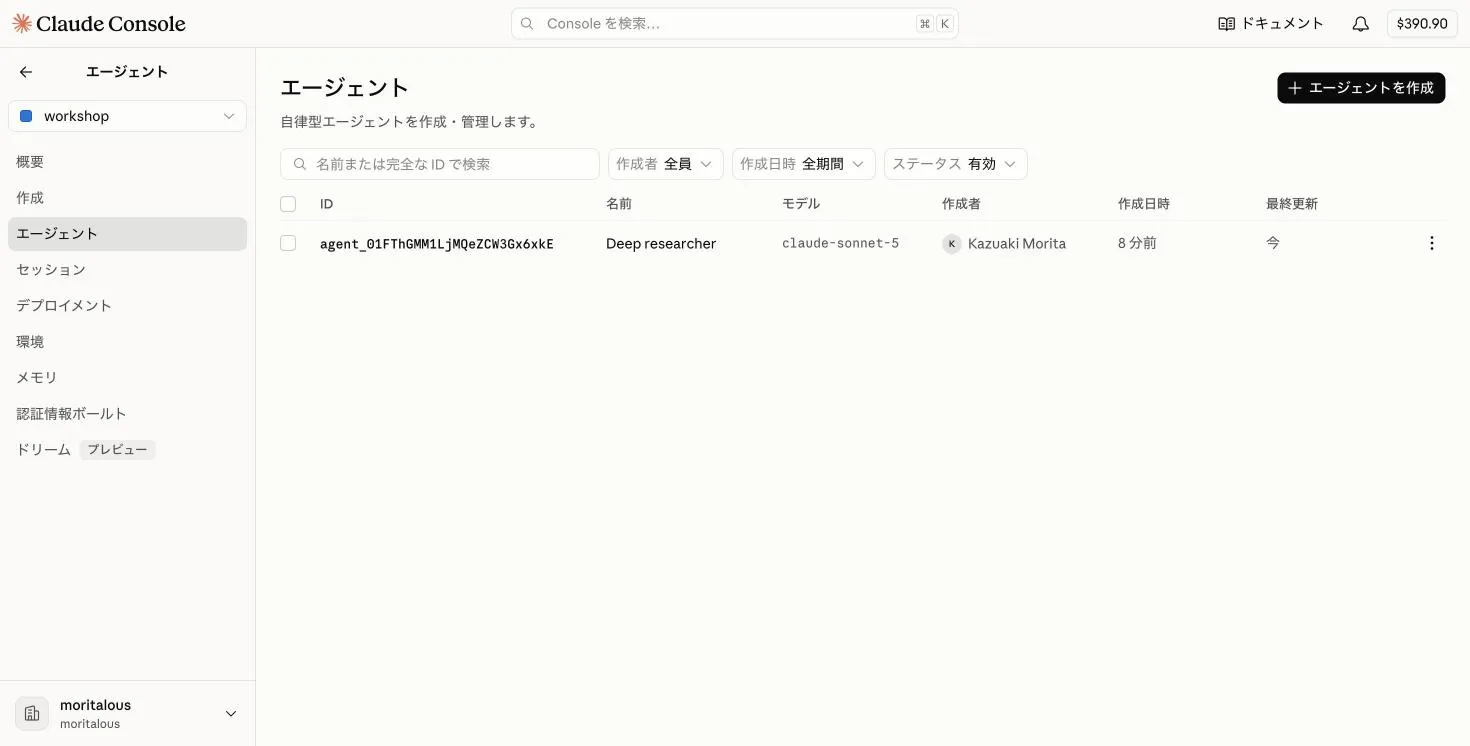
Select “Agents” from the submenu, then click “Create agent”.
-
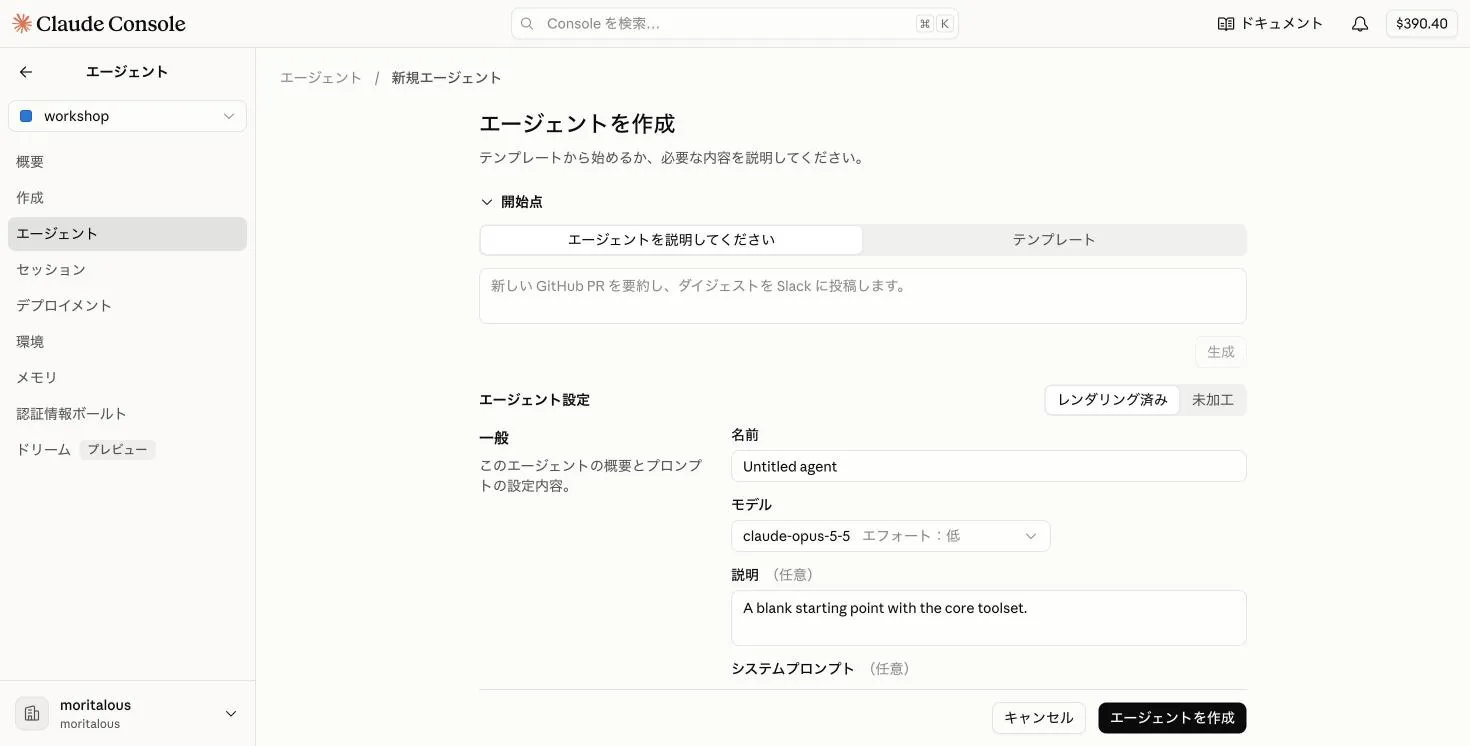
Click “Raw” to the right of “Agent configuration” to switch to the YAML editor.
-
Delete everything in the editor, replace it with the following YAML, and click “Create agent”.
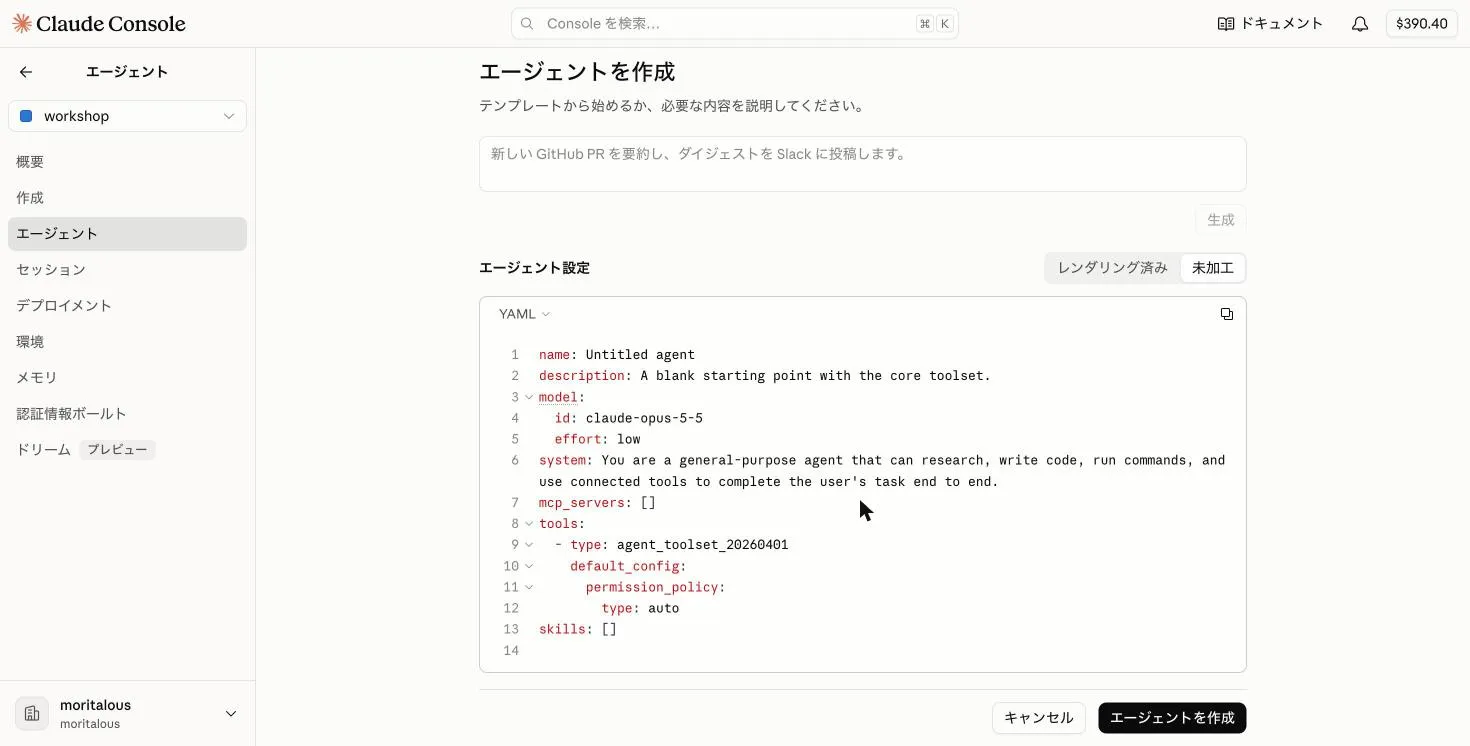 name: AZ-900 Quiz Agentmodel:id: claude-haiku-4-5speed: standarddescription: A study assistant that asks AZ-900 (Azure Fundamentals) practice questions using up-to-date information from the Microsoft Learn MCP server.system: |-You are a study assistant that creates AZ-900 (Azure Fundamentals) practice questions using the Microsoft Learn MCP server. Refer to the latest official Microsoft Learn documentation and ask multiple-choice questions one at a time.Rules:- After presenting the question and the options, do not reveal the correct answer until the user responds.- After the user answers, say whether they were right and give a one-line explanation of why each option is correct or incorrect.- Provide three real Microsoft Learn documentation URLs that are useful for further study.- Remember the user's previous answers (correct/incorrect, topic) within the conversation and prioritize topics they got wrong or are weak in for the next question.- Ask only one question at a time and keep a brisk pace.mcp_servers:- name: microsoft-learntype: urlurl: https://learn.microsoft.com/api/mcptools:- type: mcp_toolsetmcp_server_name: microsoft-learndefault_config:enabled: truepermission_policy:type: always_allowskills: []metadata: {}
3. Create a Session
Section titled “3. Create a Session”-
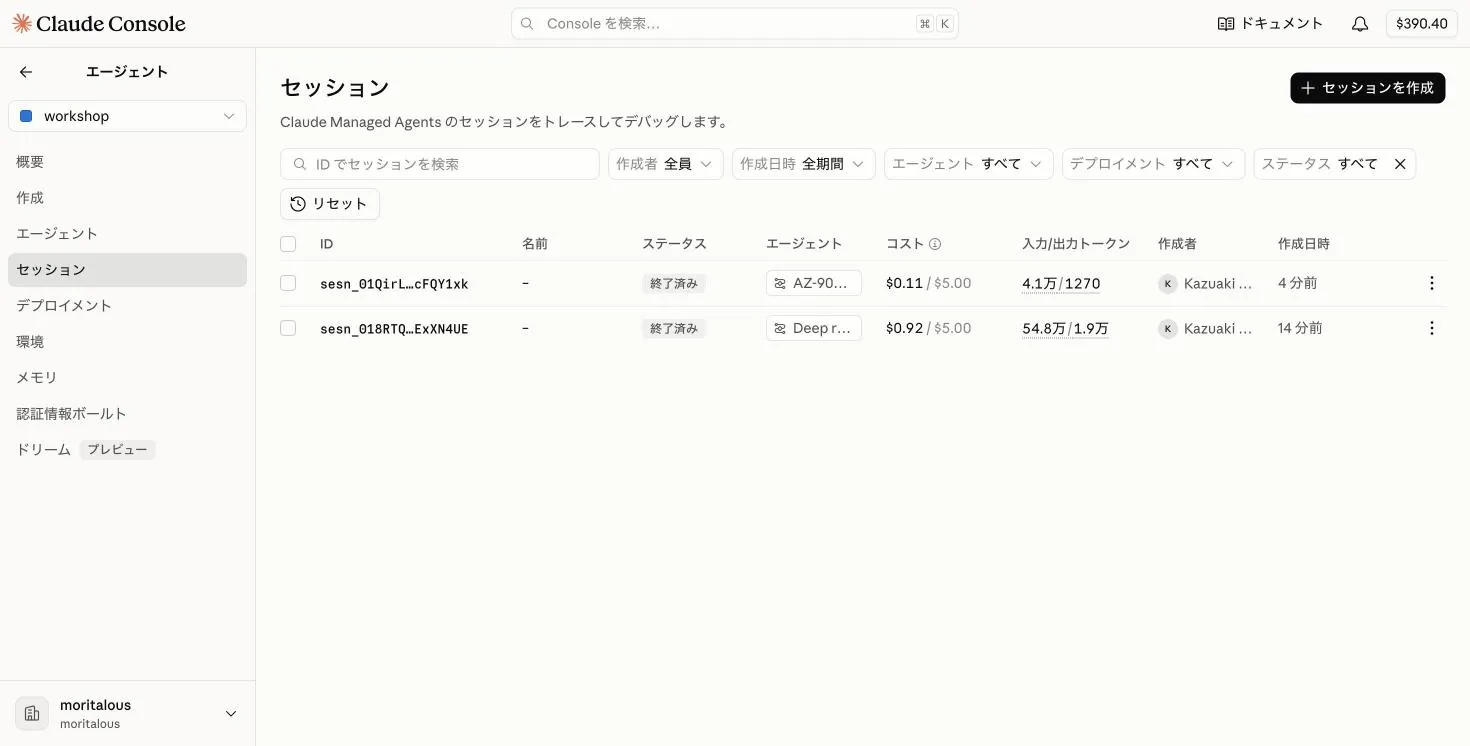
Select “Sessions” from the submenu, then click “Create session”.
-
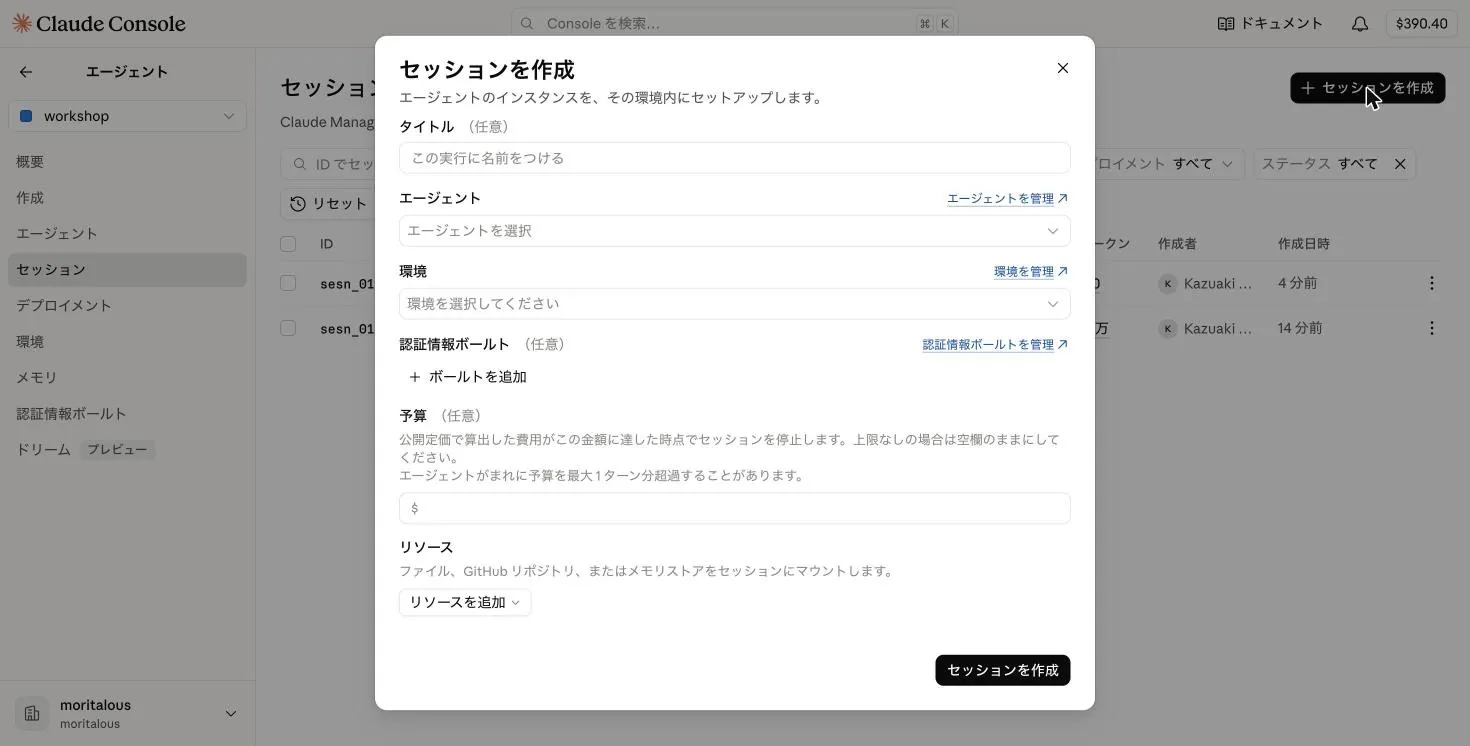
Set the agent to “AZ-900 Quiz Agent” and the environment to “Quiz-environment”, then click “Create session”. No credential vault is needed, so leave it empty.
4. Invoke the Agent
Section titled “4. Invoke the Agent”-
The session’s detail page opens. Type “Give me one AZ-900 practice question” in the chat box at the bottom of the screen and send it.
-
The agent calls the Microsoft Learn MCP tool (
microsoft_docs_search) and asks a question. The inspector on the right shows session information, events, and tool calls.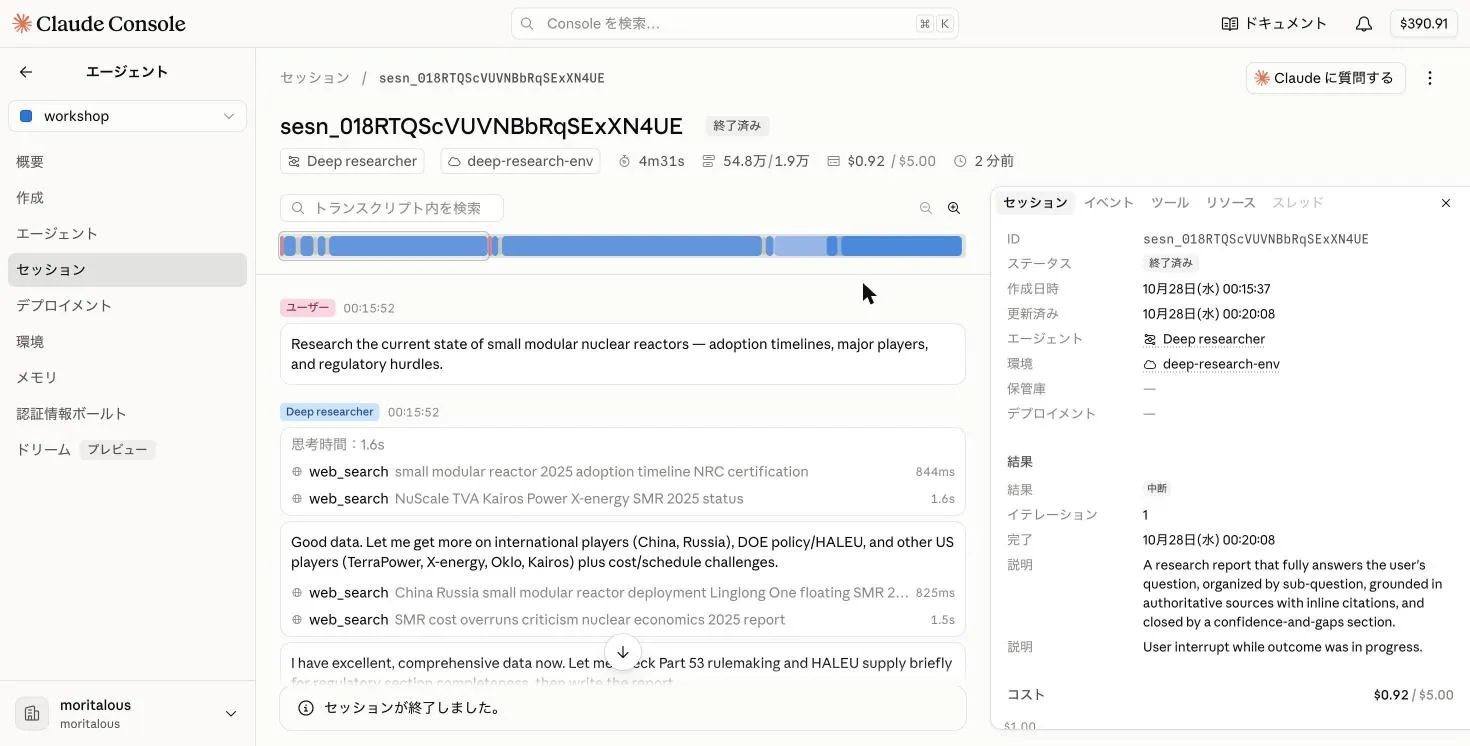
-
Send an answer (for example
C) in the same chat box, and you get a verdict and explanations.
Summary
Section titled “Summary”- With an authless MCP server, you can run an agent with just three parts: environment, agent, and session. A credential vault is only needed for MCP servers that require an API key or OAuth.
- Using an MCP server requires two things: (1) network access to MCP servers enabled in the environment (“Limited” + “Allow MCP servers”), and (2)
mcp_serversandmcp_toolsetdefinitions on the agent. - On the following pages, we will build the same setup with the CLI and the SDK.
Great work! Please share your thoughts so far in a post on X.
Share your thoughts on X