Spending limits and costs
Set an organization-wide monthly spending limit
Section titled “Set an organization-wide monthly spending limit”We recommend setting a limit to avoid unexpected charges.
-
Click the 「請求」 (Billing) menu under 「組織の設定」 (Organization settings).
-
Click 「制限を調整」 (Adjust limit) under 「月額支出上限」 (Monthly spending limit) and set the limit.
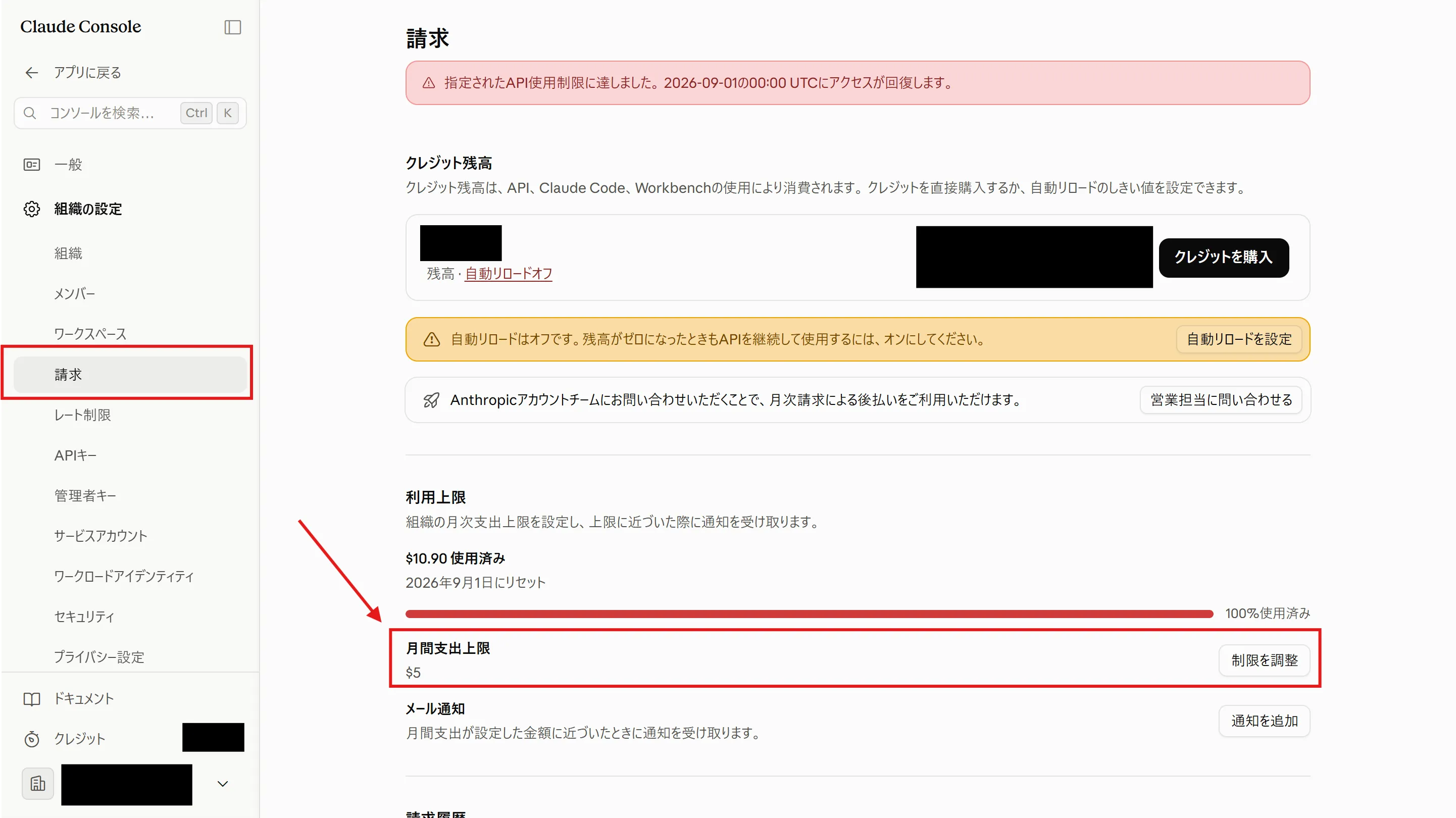
The limit applies to the whole organization, so it applies to Claude Code usage via an API key as well. For Build Day, this setting alone is enough.
Check what you’ve spent
Section titled “Check what you’ve spent”| Where to check | What it tells you |
|---|---|
/usage inside Claude Code | Rough token usage and cost for the current session |
| Usage page in the console | Official usage records and balance |
| Claude Code dashboard | Claude Code usage per member |
The amount shown by /usage is an estimate calculated locally. Check the console for exact billing.
What it actually costs
Section titled “What it actually costs”The Showcase lists measured figures for six pieces actually built with Fable 5.1. Each was a single prompt with no follow-up instructions, costing $9–$24 per piece and taking 9 to 34 minutes.
Output tokens accounted for 67% of the cost, while input (the prompt itself) was just 0.1%. The credits we hand out are $100 per person.
Tips for keeping costs down
Section titled “Tips for keeping costs down”You don’t need to worry much for a few hours at Build Day, but these are worth knowing for everyday use.
- Run
/clearwhen you move to different work: the longer a conversation gets, the more tokens each exchange consumes. Resetting when you switch to unrelated work is the single biggest saving. - Pick the right model: switch with
/model. A lighter model handles everything except involved design decisions just fine. - Be specific in what you ask for: “add input validation when the form in
index.htmlis submitted” beats “make this code better” — fewer unnecessary file reads, so it’s faster and cheaper. - Press
Escapewhen it heads the wrong way: stopping early and re-instructing is cheaper than letting it run and rebuilding afterwards.