Getting your API credits
We plan to hand out API credits for use with Claude Code to Build Day participants. We will share the application URL at the venue on the day, so follow these steps to apply.
Apply for credits
Section titled “Apply for credits”-
Make sure you are logged in to Claude Platform.
-
Go to the URL shown on the day of the event.
-
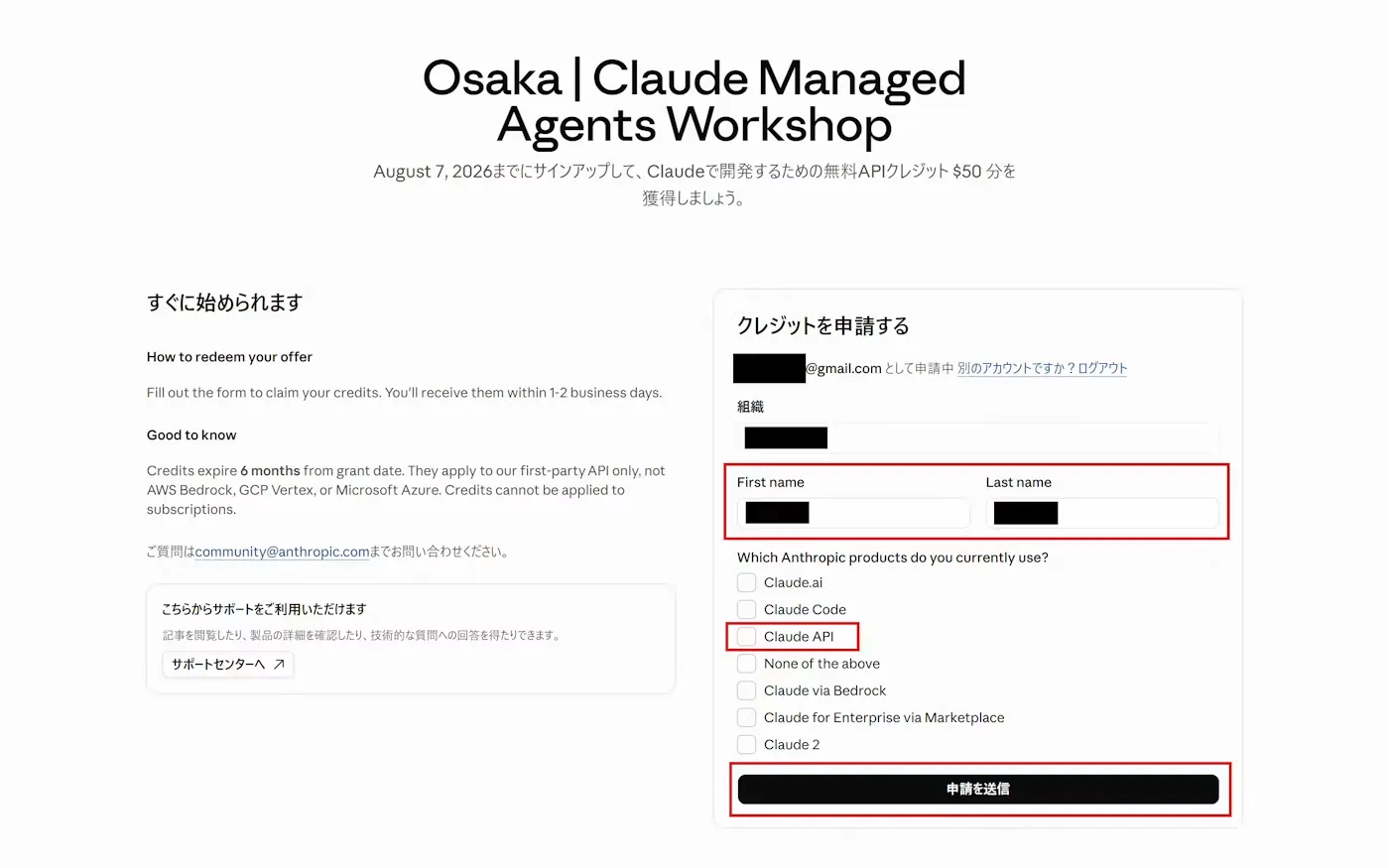
Check that your email address and organization name are correct, then enter your first name and last name. Under “Which Anthropic products do you currently use?”, check “Claude API” and click 「申請を送信」 (Submit application).
-
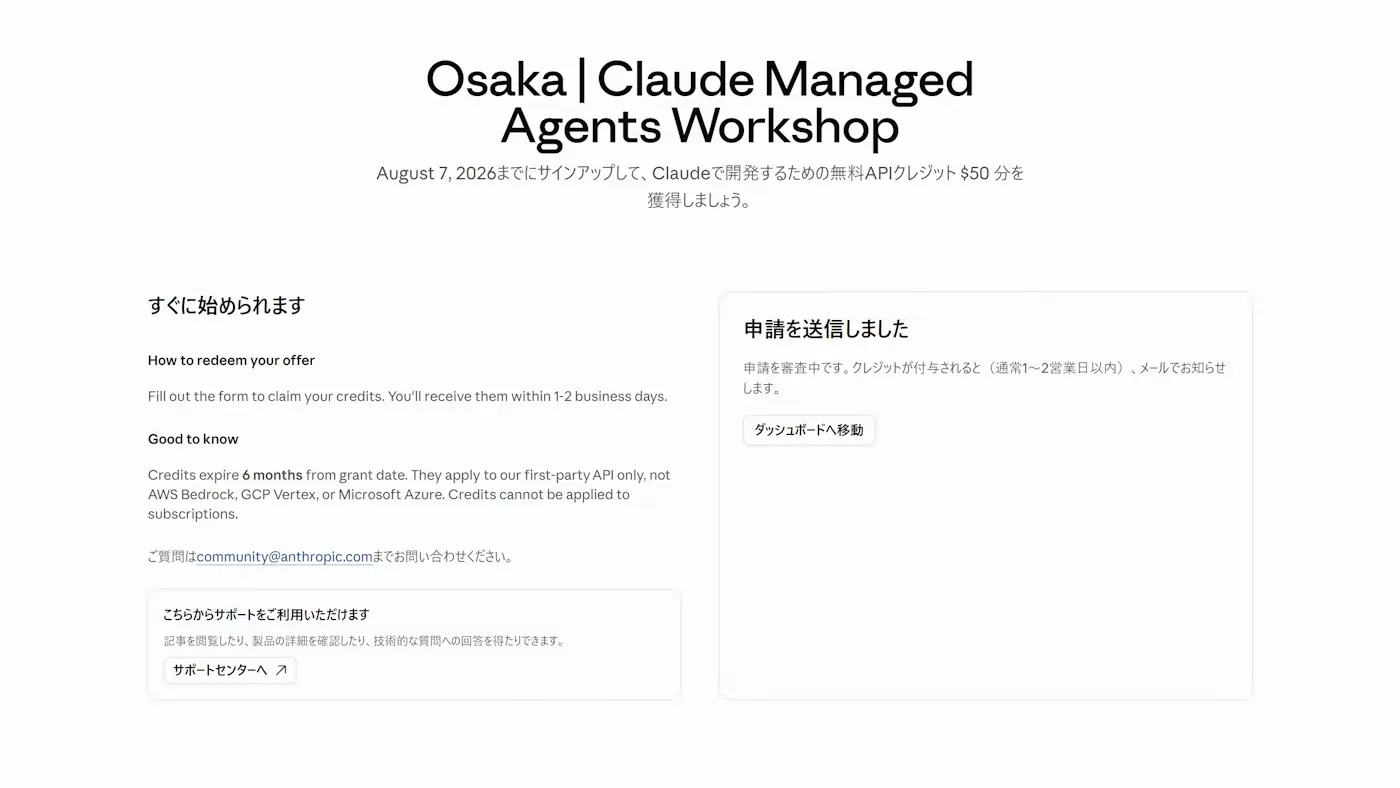
A confirmation screen appears. Your application is reviewed, and you will get an email once the credits are granted.
Check that you received them
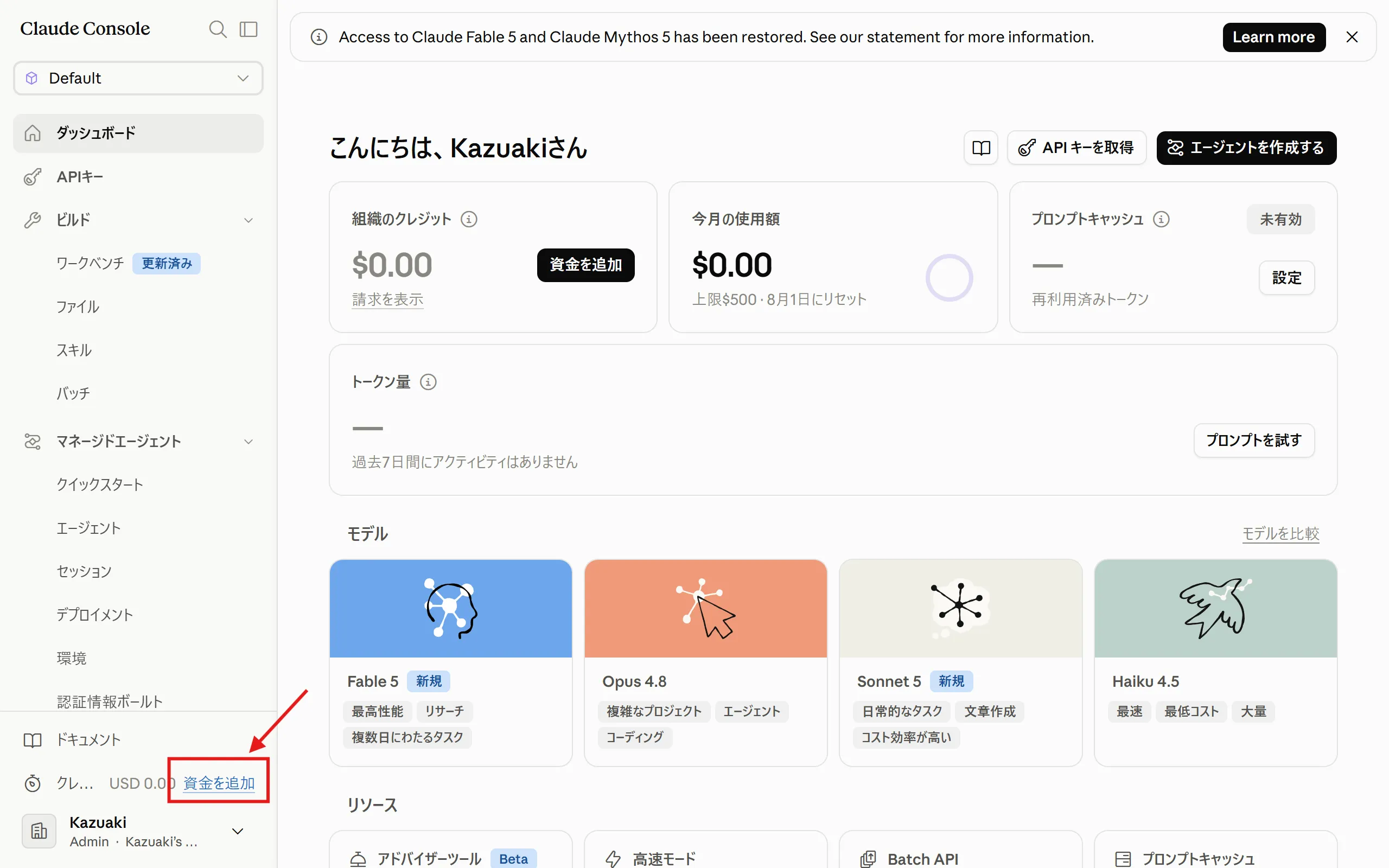
Section titled “Check that you received them”Your balance is shown at the bottom left of Claude Platform (or under the 「請求」 (Billing) menu). On the Claude Code side, running /usage while it is open shows a rough figure for how much you have used in that session.
Once you use up your credits, Claude Code shows an error such as Credit balance is too low. If that happens, buy more using the steps below or ask a staff member.
Buying credits yourself
Section titled “Buying credits yourself”For when you have used up the credits you were given, or you want to try things out in advance.
-
Click 「資金を追加」 (Add funds) at the bottom left of the screen.
-
Register a credit card and buy credits.