Create a Claude Platform account
At Build Day you will run Claude Code on API credits. That requires an account on Claude Platform, the developer console (the site itself is labelled “Claude Console”). Please create one before the event. It takes about 3 minutes.
Create an account
Section titled “Create an account”-
Go to platform.claude.com and create an account. You can sign up with a Google account or an email address.
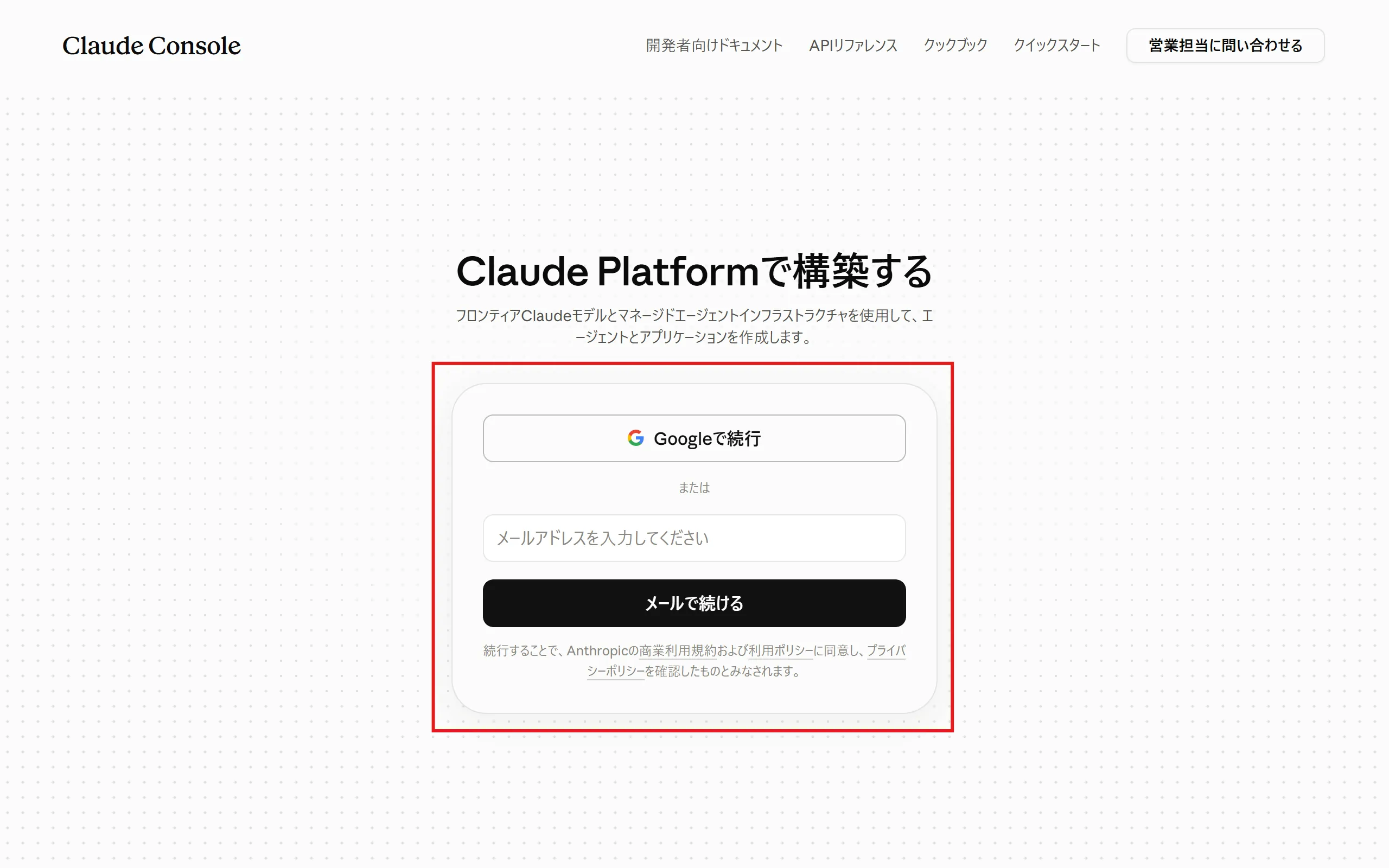
-
Enter your name and other details.
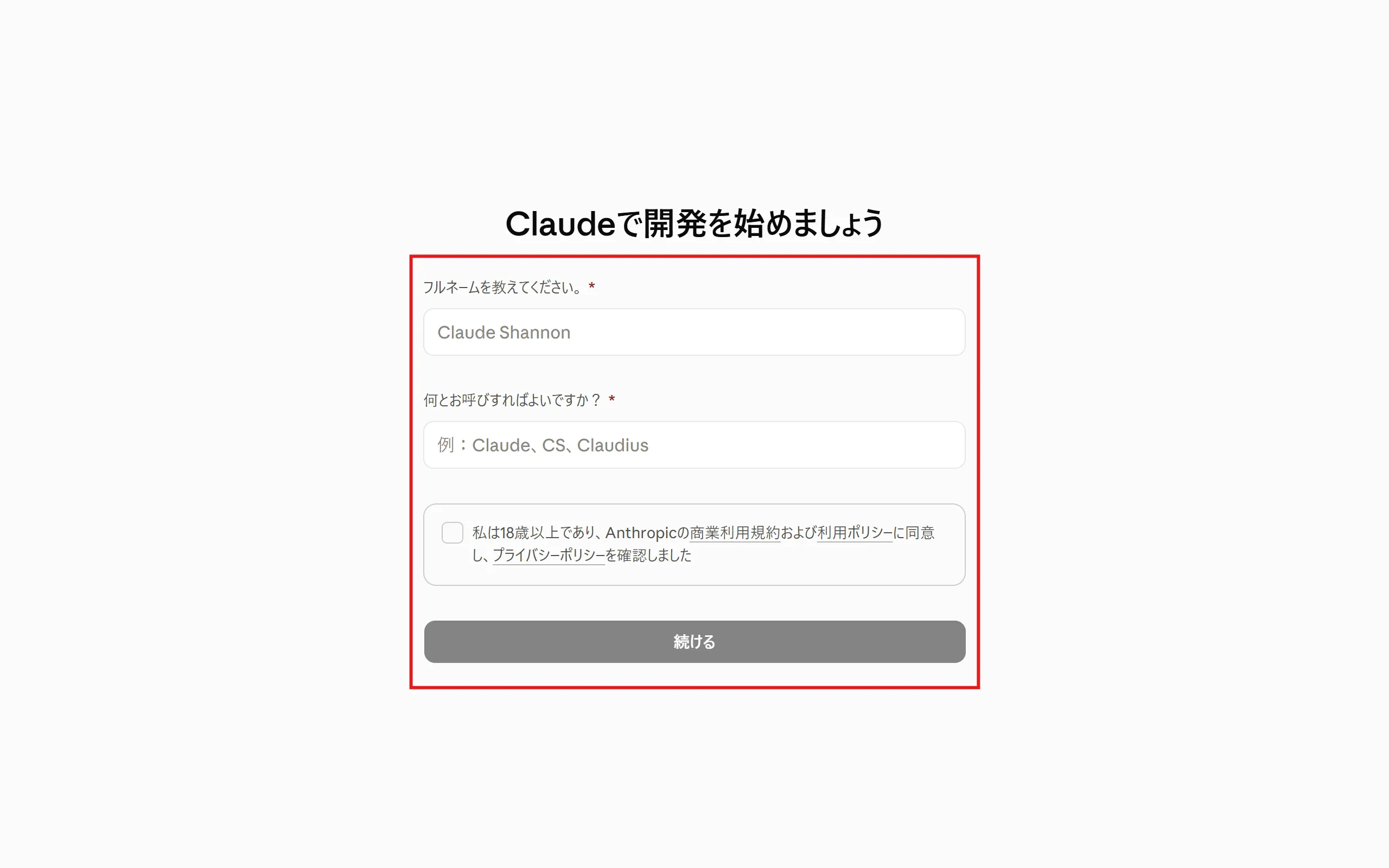
-
You will be asked for payment information, but choose 「今はスキップ」 (Skip for now). Credits are handed out on the day of the event.
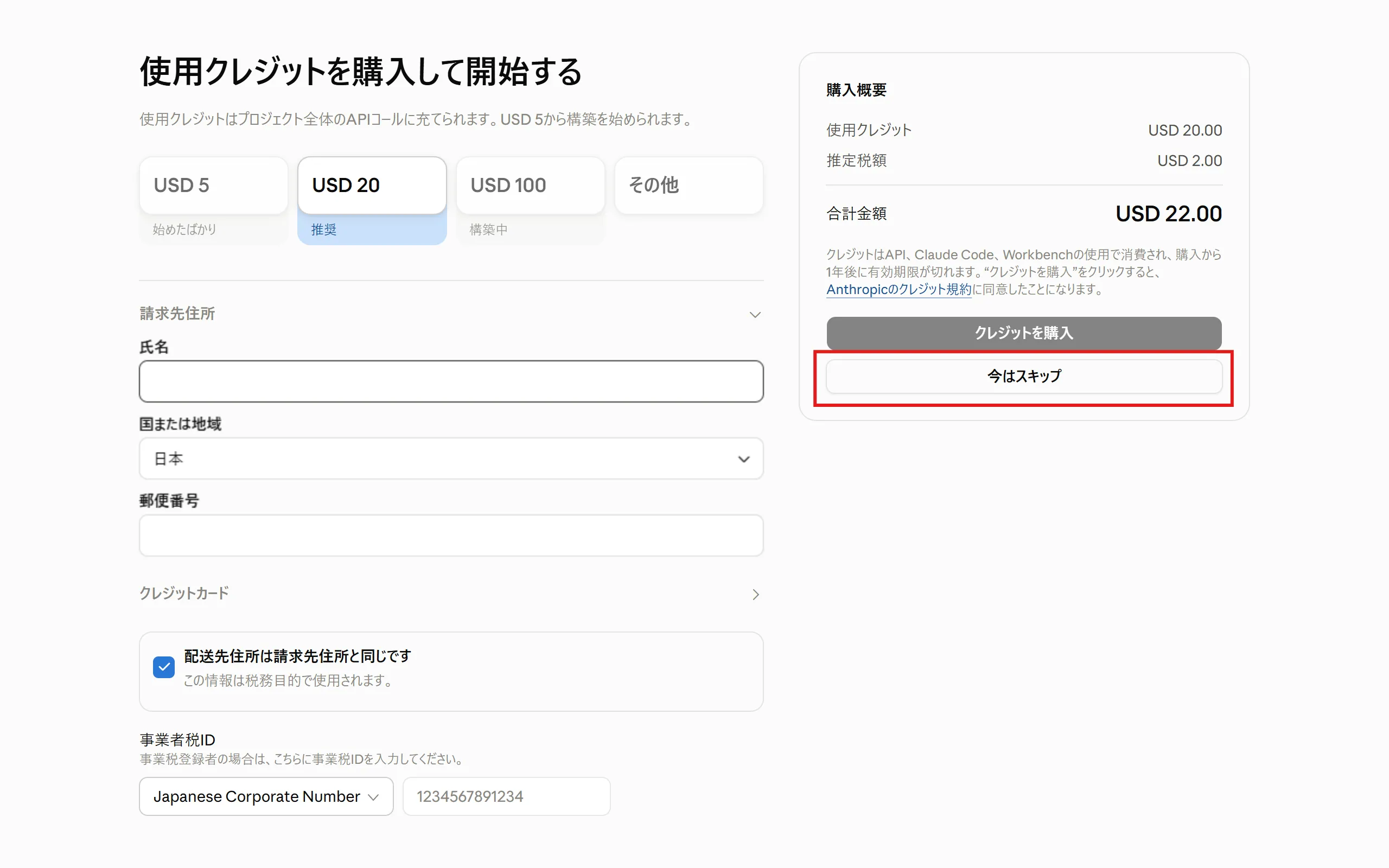
-
Your account is created.
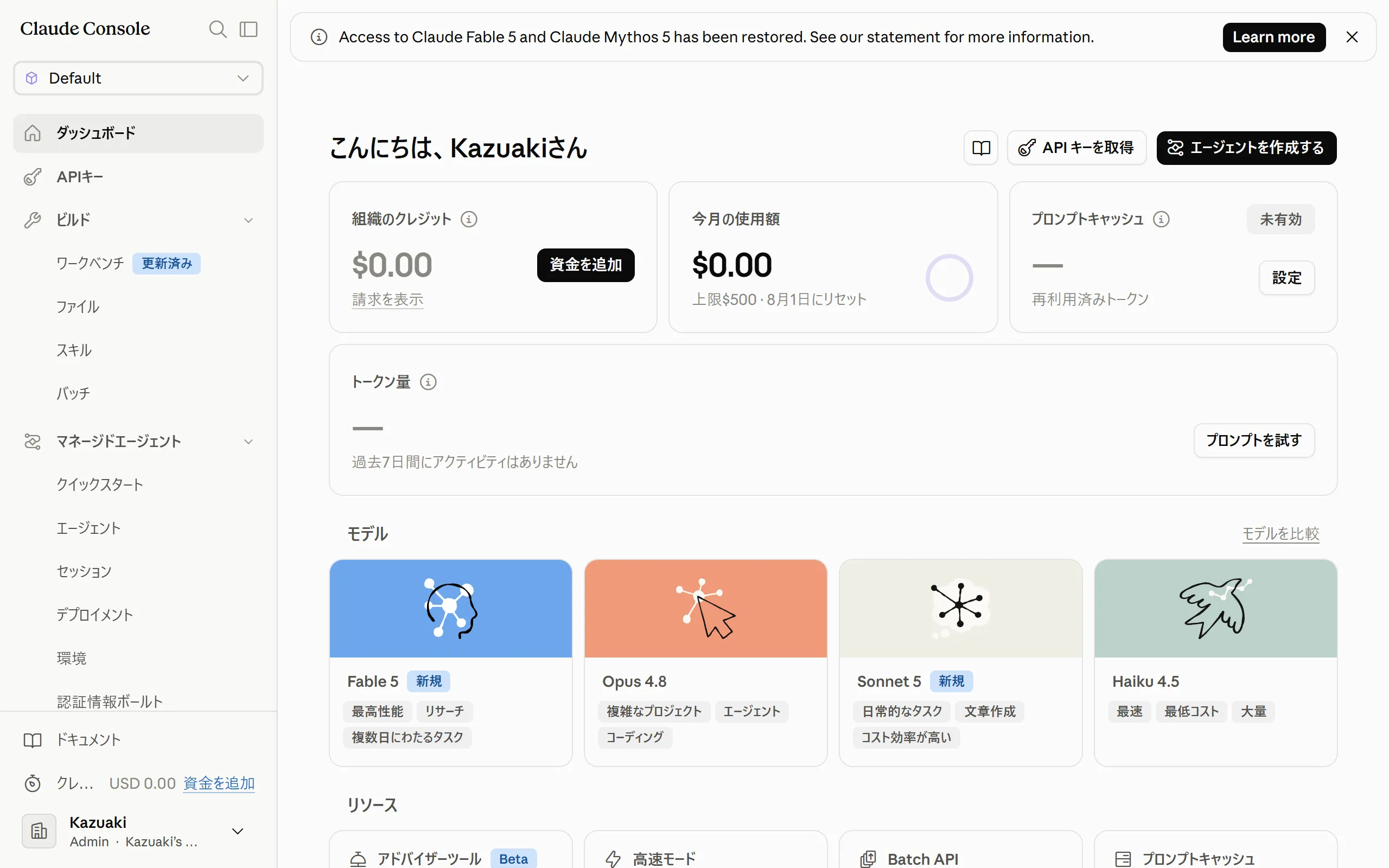
-
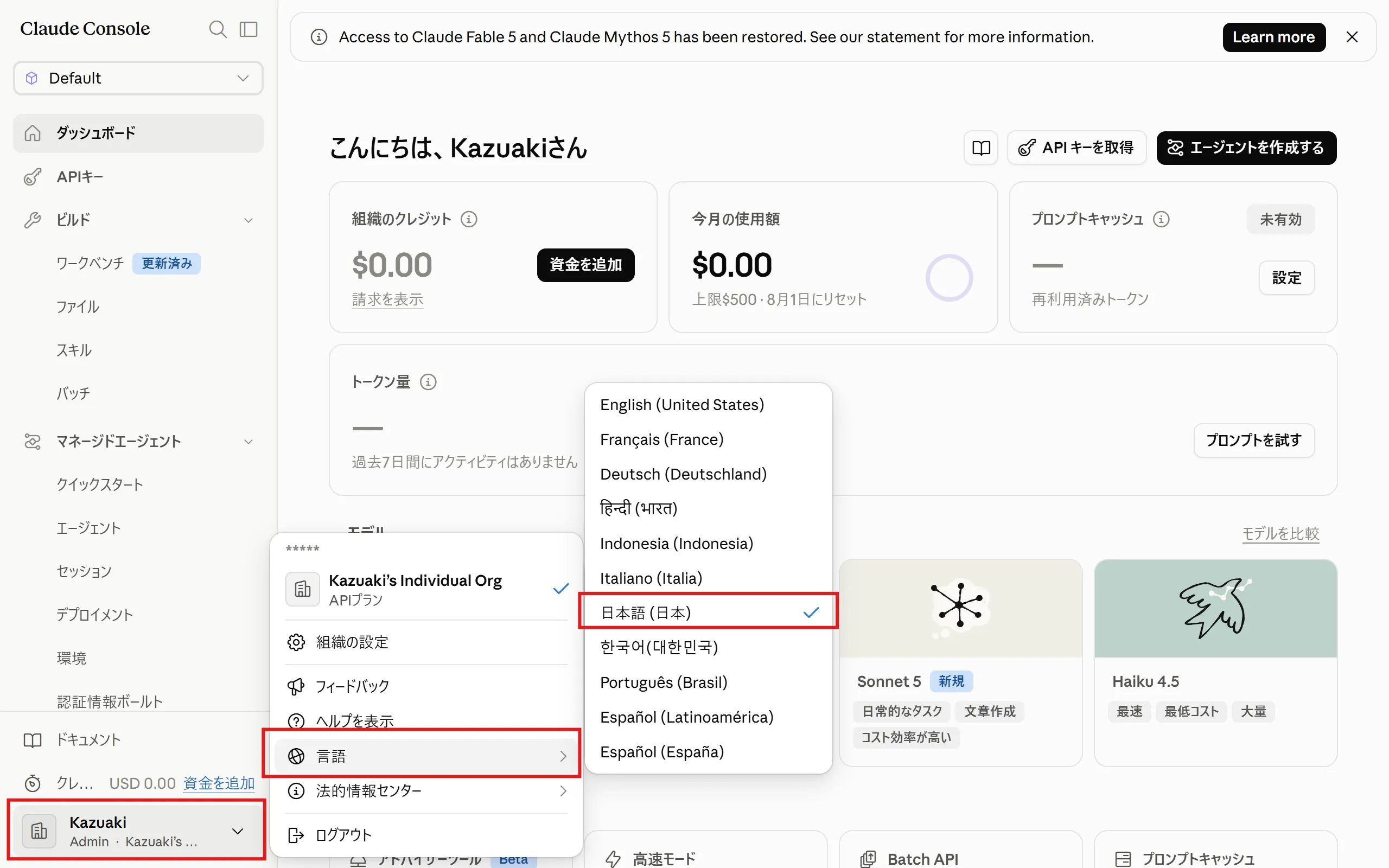
You can change the display language here. Setting it to Japanese makes it easier to follow the explanations on the day.
Next step
Section titled “Next step”Next: Getting your API credits